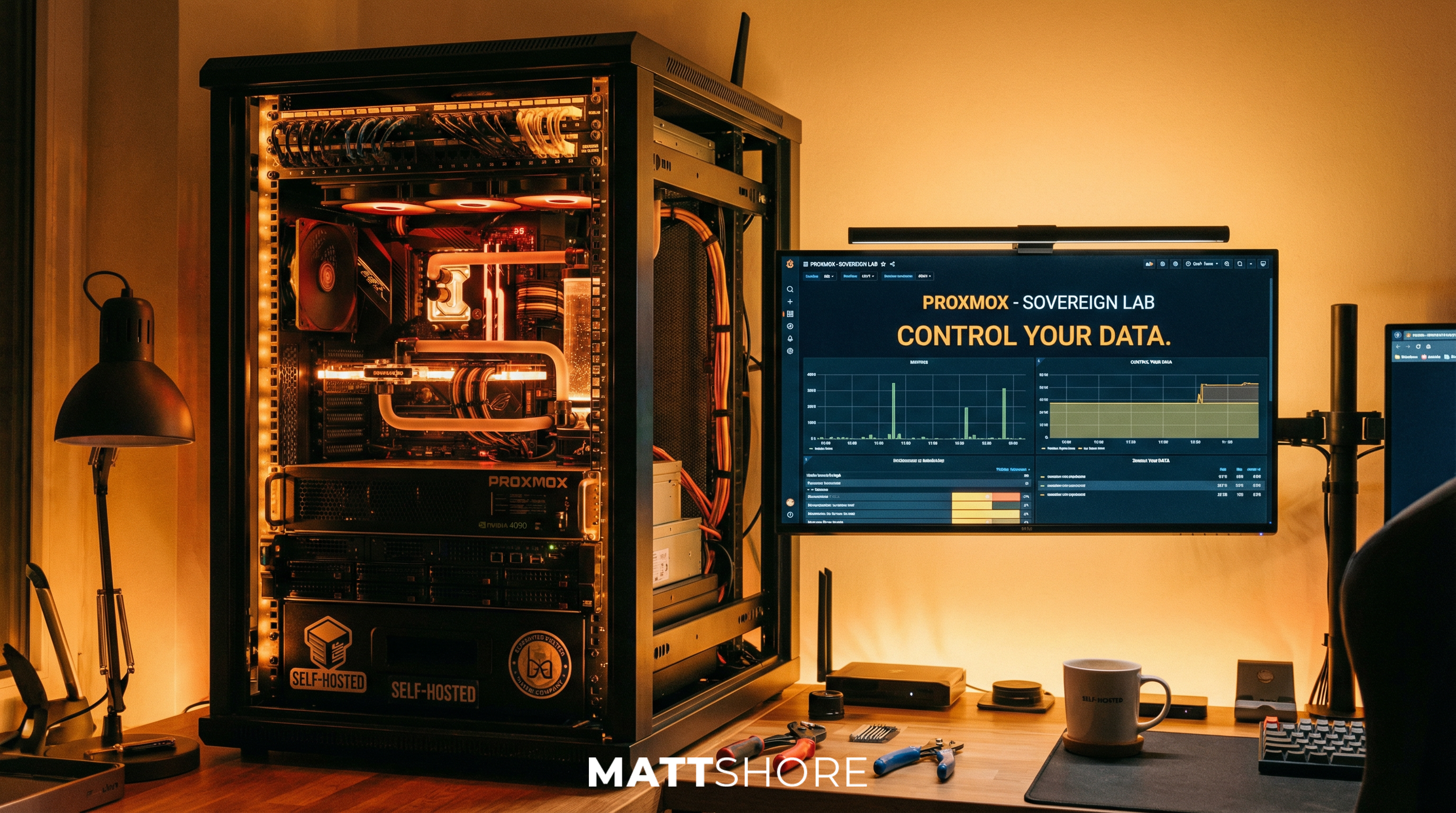
A Self-Hosted, Secure AI Assistant for Your Stack, It's Easier Than You Think
A self-hosted, secure AI assistant that can reason about your infrastructure without sending prompts or data to the cloud sounds heavy, but it's easier to implement than you might think. The main driver for me was security: keeping control of the stack and the data, and not shipping anything sensitive to third-party APIs. That's especially important when the assistant can see your VMs, containers, and configs. You don't want that leaving your network. I deployed OpenClaw as a strict read-only, self-hosted LLM interface: AI-assisted ops and the ability to chat with the infrastructure (including via Discord), no credentials or write access handed over, and not a single query touching the cloud. The rest of the stack (Proxmox, Pulse, Ollama, n8n) is built with that same mindset.
So, I've been running a Proxmox cluster for years now. It's the hypervisor workhorse for my VMs and containers: web apps (like the page you're viewing now), databases, monitoring, the usual mix. I monitor the whole thing with Pulse: one dashboard that shows both the Proxmox node and the Docker host, with a 10-second polling interval so I can keep an eye on the GPU node and the rest of the stack. I also wanted to run local AI inference and automation without shipping everything off to OpenAI or Anthropic. No API keys, no token bills, no data leaving the building. So I gave the cluster a serious upgrade: an NVIDIA RTX 4090. That one card now drives Ollama for local LLMs and n8n for workflow automation, and backs the same OpenClaw and Pulse AI features. Here's why I did it and how it fits together.
The Stack: Commodity Hardware, Open Source, Full Control
The whole setup is built on commodity hardware (10 Gb NICs, M.2 SSD, and a consumer GPU), so you're not locked into enterprise pricing or proprietary gear. On top of that:
The Stack
- Proxmox (Community Edition, free and open source) is the hypervisor. One control plane for compute, storage, and networking; no license shock.
- Pulse gives me full visibility: hardware, Docker, and Proxmox in one place, plus self-hosted AI assistance backed by the same local Ollama instance so I can reason about the stack without leaving my own infrastructure or sending anything to the cloud.
- Ubuntu VMs host Docker for the usual suspects: mail, media streaming, web hosting. Everything containerised where it makes sense.
- OpenClaw sits on top as the interface to the environment: strict read-only and backed by a self-hosted LLM, so I get AI-assisted ops without handing over credentials or write access. I've added a Discord integration with OpenClaw, so I can chat with the infrastructure from Discord: ask what's running, why something restarted, or get a summary of the stack, all through the same read-only, local LLM.
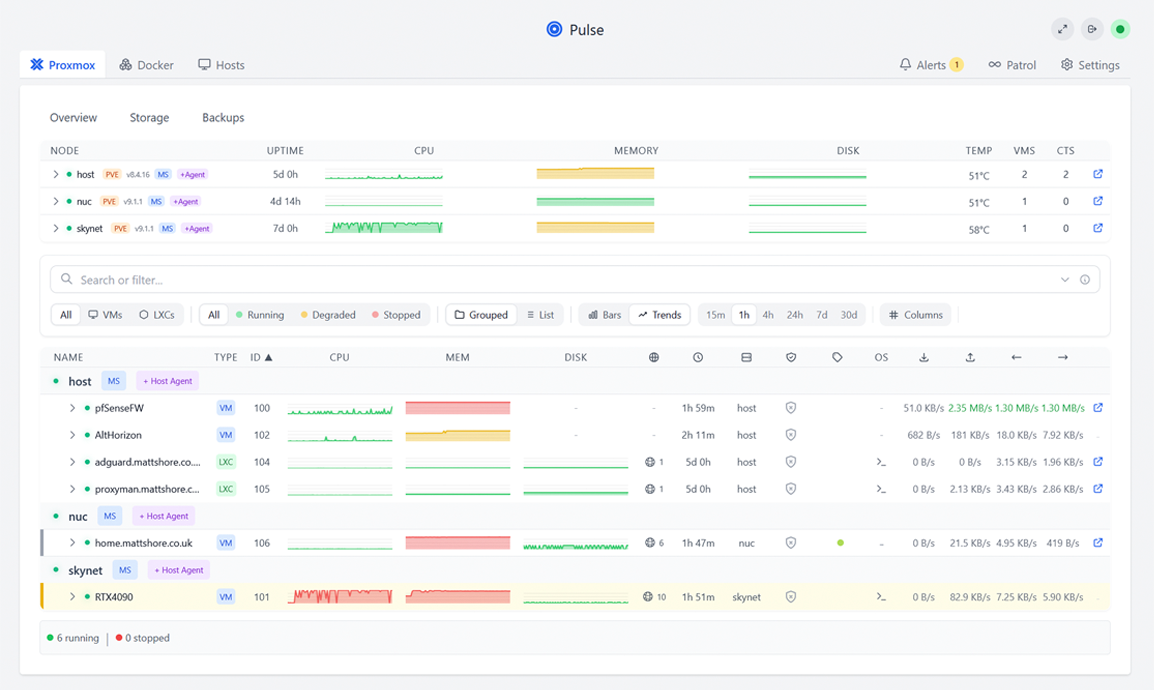
The benefit is full control without sacrificing capability: it's all self-hosted and built from accessible open-source products. With the fallout from Broadcom's VMware licensing changes, this kind of ecosystem isn't just nice to have. It's a credible, sustainable alternative.
You own the stack, you own the data, and you're not at the mercy of someone else's license terms.
If You're Stuck in the Broadcom VMware Licensing Squeeze
Broadcom's takeover of VMware has left a lot of teams facing steep price hikes, product bundling they didn't ask for, and uncertainty about what stays in the portfolio. If you've been running vSphere and are re-evaluating, Proxmox + Pulse is a solid path out. Proxmox can feel complex if you're used to VMware's polish or not comfortable on the CLI, but Pulse gives you an incredibly easy monitoring solution: a single dashboard for hardware, Proxmox, and Docker, so you get full visibility without having to live in the terminal. If you're not a CLI person, that makes a huge difference.
Proxmox gives you what you're used to from a hypervisor: VMs, storage, networking, clustering, and a web UI, all without per-socket or per-core license shock. The Community Edition is free and open source; there's no surprise audit or contract renegotiation. You can migrate workloads gradually (P2V tools and docs exist) and keep running on the same commodity hardware.
The piece that often gets missed when people compare VMware to Proxmox is visibility and ops. With VMware you had a single pane of glass for the virtual estate. Pulse fills that gap: one dashboard for Proxmox and Docker (and hardware), so you're not juggling Proxmox's UI, Portainer, and random host SSH sessions. For teams used to vCenter-style oversight, that unified view, plus Pulse's self-hosted AI assistance for reasoning about the stack, makes the switch feel less like a step back. You get hypervisor flexibility and operational clarity, without tying either to a vendor's license terms.
So if you're stuck in the Broadcom VMware licensing issue, Proxmox is a credible hypervisor alternative, and Pulse is what makes it feel like a full replacement: same "see everything in one place" story, without the bill.
Why Put a GPU in the Proxmox Cluster?
The cluster was already the natural place for anything I run: VMs, LXCs, Docker-in-a-VM, you name it. Proxmox gives me one control plane for compute, storage, and networking. What I didn't have was somewhere to run AI that felt like mine. So I asked: what if the same cluster that runs everything else also ran the models and the workflows that use them?
The answer: an RTX 4090. It's powerful enough for fast inference on mid-sized open-source models (Llama, Mistral, Qwen) and fits in a standard server or workstation. I'm not training models; I'm serving them. For that, the 4090 is more than enough, and it's a lot cheaper than cloud GPUs over time. No nasty surprises at the end of the month.
Worth noting: NVIDIA's dominance and the squeeze on GPU supply, with key suppliers like Micron at capacity for AI-related memory, have been screwing up hardware availability and cost. If you can get a card or already have one, running it yourself still beats the cloud for predictable, sovereign inference.
What Actually Runs on the GPU: Ollama and n8n
Two main workloads use the GPU on that host, and a third, Pulse, uses the same Ollama instance for its AI features.
Ollama runs the LLMs. I pull models (e.g. llama3.2, mistral, qwen2.5) and Ollama serves them over a simple local API. No API keys, no per-token billing, no data leaving the network. Anything on the same host or cluster (containers, VMs, scripts) can call the Ollama API for completions, embeddings, or chat. It just works.
n8n is my workflow engine. It runs on the same machine and talks to Ollama. So I get "AI node" style automation: summarise emails, classify tickets, generate draft replies, extract entities, all hitting the local Ollama instance instead of a cloud provider. Again: no external API calls, no token surprise. You get the idea.
Pulse with local Ollama: Pulse isn't just a dashboard; it has built-in AI assistance for reasoning about your infrastructure. I run that against the same local Ollama API. So when I ask Pulse to explain a spike in CPU, suggest why a container restarted, or summarise what's running across Proxmox and Docker, the model runs on my RTX 4090. No OpenAI or Anthropic backend, no data leaving the LAN.
One GPU, one model server, multiple consumers: n8n for automation, Pulse for ops chat and analysis.
The technical bit: Ollama and n8n run in a VM or LXC on the GPU host. I passed the GPU through to a single VM (PCI passthrough) and run Docker there with the NVIDIA Container Toolkit on the host so containers see the card. The important part is that the Ollama process gets the RTX 4090 and uses it for inference. n8n and Pulse don't need the GPU directly; they just need to reach Ollama over the network.
Why I Care: Cost, Latency, Keeping Data Mine, and Access to Intelligence
A few things really matter to me:
What matters
- Cost predictability: No per-token or per-request cloud bills. After the hardware, usage is effectively fixed (power and cooling). I know what I'm spending.
- Latency: Inference is on the LAN. No round-trip to a cloud region; responses are fast and stable. No "waiting on the API" feeling.
- Data sovereignty: Prompts, documents, and outputs never leave my infrastructure. That matters for internal tools and any sensitive workflows. If you've read my piece on the hidden costs of cloud AI, you'll know I'm big on this.
- One control plane: Proxmox is where I manage the whole stack: existing VMs and services plus the GPU host running Ollama and n8n. Pulse gives me a single view (full hardware, Docker, and Proxmox visibility) and its AI assistance is wired to the same local Ollama instance, so I'm not jumping between UIs or sending ops questions to the cloud. OpenClaw adds a read-only, LLM-backed interface to the environment without handing over write access, and with the Discord integration, I can chat with the infrastructure from wherever I'm already hanging out. No separate "AI cloud" to log into or secure. It's all in one place.
The Bigger Picture: Sovereign AI, Actually Running It
If you've read my piece on the hidden costs of cloud AI or the idea of a sovereign AI stack, this is the same direction: own the stack, control the data, and avoid lock-in and surprise bills. The Proxmox cluster is my concrete implementation: commodity hardware, Proxmox CE, Pulse, Ubuntu VMs, OpenClaw, and a GPU-powered node running Ollama and n8n, all managed in one place with no dependency on external AI APIs for these workflows. With Broadcom's VMware licensing upheaval, this kind of open-source, self-hosted ecosystem isn't just viable; it's a credible path for anyone who wants full control without vendor lock-in.
I'm not saying "never use the cloud." I'm saying that for a lot of internal automation and experimentation, a single RTX 4090 in your existing Proxmox setup can get you a long way. If that sounds like what you're after, maybe it's time to give your cluster a GPU and see what you can run on your own terms.